AI Image Generation Studio

Nano Banana Prompt: Hot AI Image Editing Prompts

It offers advanced capabilities like prompt-based style transfer, 3D figurine generation, and seamless multi-image editing — all at lightning-fast speeds. Perfect for creators seeking high-quality, efficient image processing.
Prompt-led
Natural language editing
Multi-image
Reference-aware creation
Web based
No complex setup
nano banana ai free hero

Get Creative with Nano Banana AI: A Quick Guide

1

1.Select Images

Drag and drop one or multiple images into our intuitive workspace. Nano Banana AI instantly analyzes your content, assessing context, quality, and enhancement opportunities.
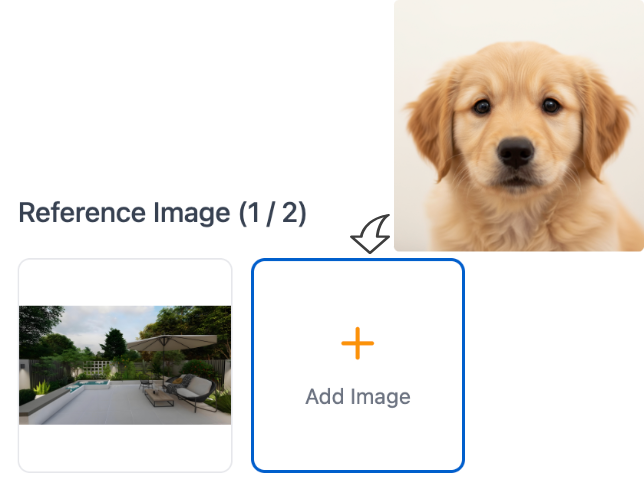
Smart Upload Experience
2

2.Input Your Prompt

Describe your vision in the prompt box. Our AI uses advanced language processing to interpret creative intent and artistic preferences.
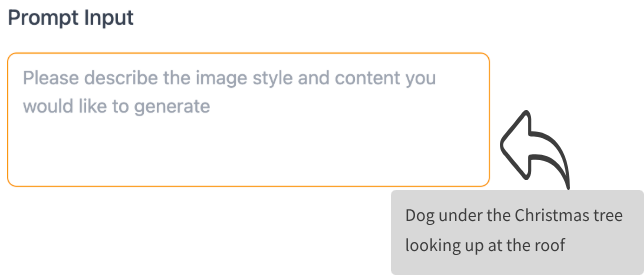
Intelligent Prompt Creation
3

3.Download the Results

Get multiple high-quality variants in seconds. Preview, compare, and choose your favorite result—then download in your preferred format and share anywhere.
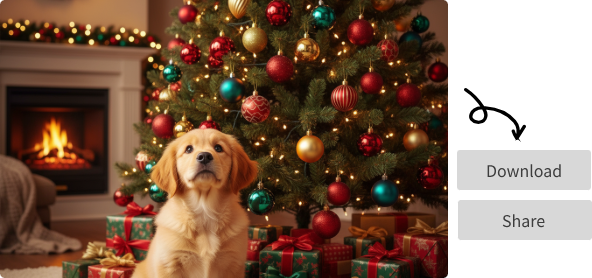
Instant Generation & Download

Hot Nano Banana Prompts for AI Image Editing Use Cases

All you need to do is copy and paste the Gemini AI photo prompts to the tool so you can create viral-ready AI images.

Turn Photos into 3D Character Figures
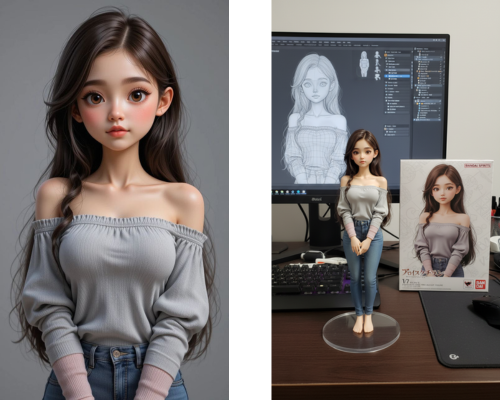
One of the most creative uses of Nano Banana is transforming flat portraits into 3D figurines. This feature blends illustration, modeling, and rendering into a single seamless prompt.
Nano Banana Prompt:
create a 1/7 scale commercialized figure of thecharacter in the illustration, in a realistic styie and environment.Place the figure on a computer desk, using a circular transparent acrylic base without any text.On the computer screen, display the ZBrush modeling process of the figure.Next to the computer screen, place a BANDAI-style toy packaging box printedwith the original artwork.
Nano Banana 3D Action Figure

Turn Photos into Ghibli Style

Transform your images into enchanting scenes inspired by Studio Ghibli image style, using Nano Banana model prompts, you can create a stunning Ghibli style image.
Nano Banana Prompt:
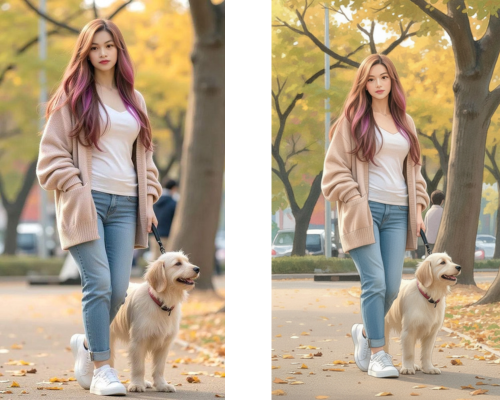
Redraw this photo in Ghibli style
Nano Banana Ghibli Style

Combine Multiple Images

Seamlessly merge multiple photos into one cohesive and visually striking image with Nano Banana prompt guide.
Nano Banana Prompt:
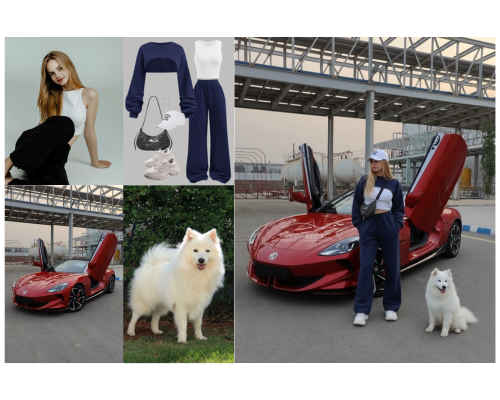
Combine multiple images ([Image1], [Image2], [Image3], …) into a single cohesive image. Keep all key subjects recognizable and maintain their proportions and details. Blend the images naturally with consistent lighting, shadows, perspective, and style. Photorealistic, high-resolution, seamless integration.
Nano Banana Combine Multiple Images

Pose Control
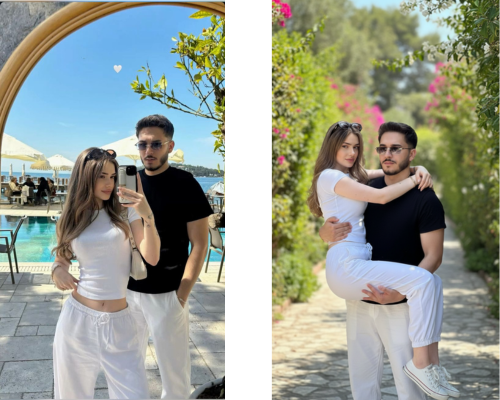
Change the posture of your subjects to achieve dynamic or natural poses.
Nano Banana Prompt:
Take the couple and place them in the exact poses of the man in black carrying the womon in white. Preserve their identities, body proportions, and clothing details. Ensure the pose is natural and realistic, with consistent lighting, shadows, and perspective. Photorealistic, high-resolution result.
Nano Banana Pose Control

Grid Portrait

Generate a 3x3 grid of portraits showcasing different life experience using Nano Banana model prompts.
Nano Banana Prompt:
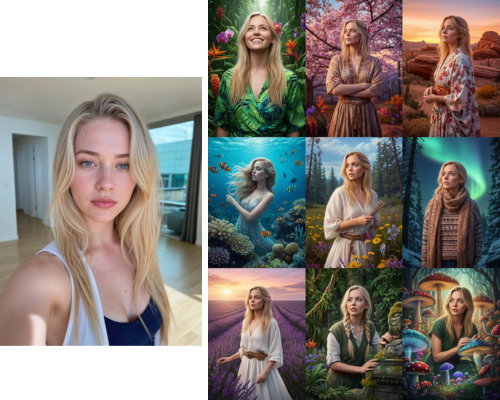
Using the uploaded photo as a reference, generate a set of 9 vibrant half-length portraits. Each portrait should show a different pose and be placed in a unique setting, with rich, colorful details that highlight the diversity of nature.
Nano Banana Grid Portrait

Change Image Background
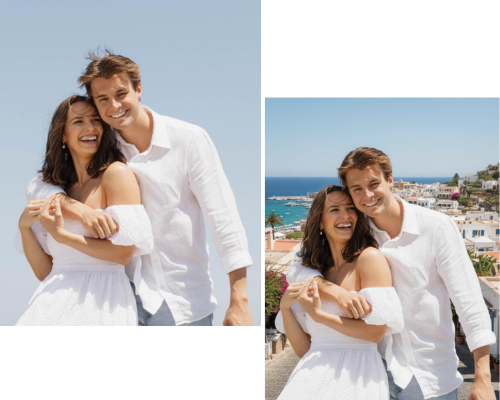
Replace the background of your image with Nano Banana model prompts.
Nano Banana Prompt:
Replace the background of [Image1] with [desired background description, e.g., a beach, a forest, a city skyline]. Keep the main subject (person/object) unchanged, maintaining original proportions, lighting, and details. Ensure the subject blends naturally with the new environment. Photorealistic, high-resolution, seamless integration.
Nano Banana Change Image Background

Add Object to Image
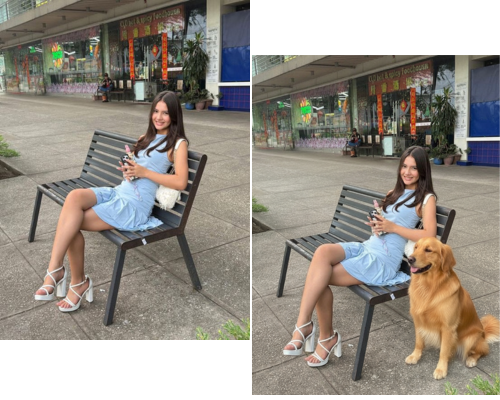
Add objects to your image with Nano Banana model prompts.
Nano Banana Prompt:
Add [desired element, e.g., a tree, a lamp, a dog] to [Image1]. Place it naturally in the scene, matching the lighting, perspective, and style. Keep the original elements unchanged. Photorealistic, seamless integration.
Nano Banana Add Object to Image

Remove Object from Image
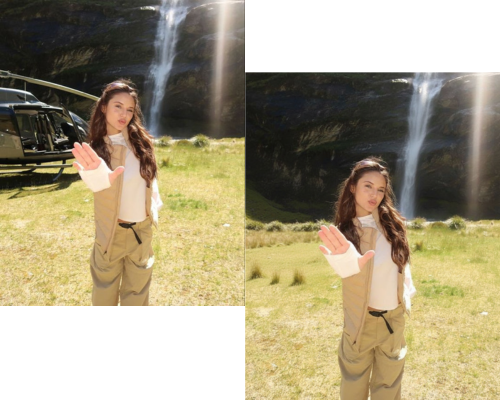
Remove objects from your image with Nano Banana model prompts.
Nano Banana Prompt:
Remove [element to remove, e.g., a person, a car, a sign] from [Image1]. Fill the background naturally to maintain the scene’s continuity, lighting, and details. Keep all other elements unchanged. Photorealistic, high-resolution.
Nano Banana Remove Object from Image

Edit Text in Image
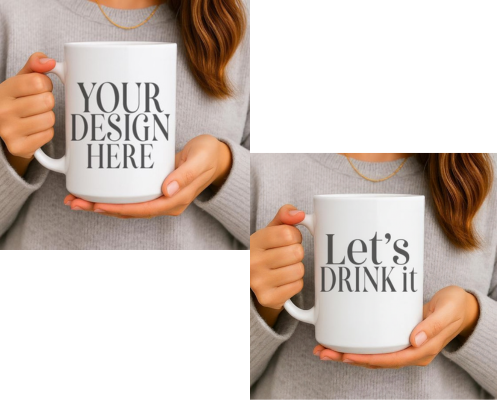
Edit the text in your image with Nano Banana model prompts.
Nano Banana Prompt:
Edit the text in [Image1]. Replace the existing text with “[your new text]” while keeping the background, design, and other elements unchanged. Match the font style, size, and color to look natural and consistent with the image. Photorealistic, seamless integration.
Nano Banana Edit Text in Image

Object Extraction
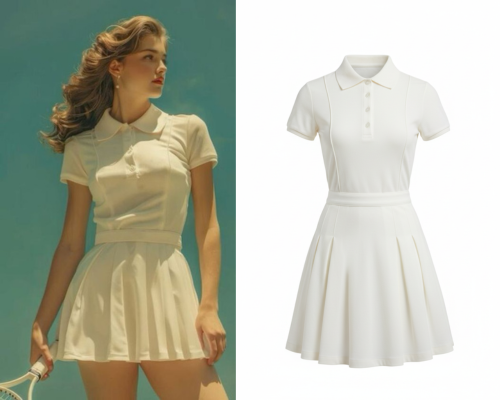
Easily isolate and extract specific objects from any image for further editing or reuse.
Nano Banana Prompt:
Extract the clothing from [Image1] and present it as a clean e-commerce product photo. Remove the model’s body completely. Keep the outfit in natural 3D shape, with realistic fabric folds, seams, and textures. Display the garment as if photographed on a mannequin or neatly laid flat, centered on a pure white or transparent background. High-resolution, professional lighting, suitable for online fashion catalog.
Nano Banana Object Extraction

Frequently Asked Questions

What is a Nano Banana prompt?
A Nano Banana prompt is a natural-language instruction you give to Gemini 2.5 Flash Image to generate or edit visuals. By describing the desired changes in detail, you guide Nano Banana AI image editing to deliver accurate, high-quality results.
How do I use Nano Banana AI for professional image editing?
No answer content was provided in the source text.
Can the Nano Banana AI image generator handle multiple images at once?
No answer content was provided in the source text.
What makes Nano Banana AI image editing different from other tools?
No answer content was provided in the source text.
Can I use Nano Banana free online?
No answer content was provided in the source text.
How does Gemini 2.5 Flash Image generation ensure character consistency?
No answer content was provided in the source text.

Explored the latest and most popular ways to use the Nano Banana AI image editor model

By applying the techniques shared here, users can unlock the full potential of AI-driven visual creativity.